Turn recordings into text
Move from spoken content to an editable transcript that is easier to scan, quote, and reuse.
A focused place for meetings, lessons, interviews, and the ideas inside them.
Upload a recording, paste a link, and shape the words inside it into clear text for study, work, research, or your next piece of content. Turn a recording into editable text.
Transcribevideototext is a focused online workspace for turning video and audio into readable text. Bring in a meeting, lecture, interview, podcast, or saved recording, then move from raw speech to notes, drafts, and useful takeaways without losing the original context.
Choose the kind of output you need, keep speakers easy to follow, and make the transcript work for the way you already study, research, collaborate, or publish.


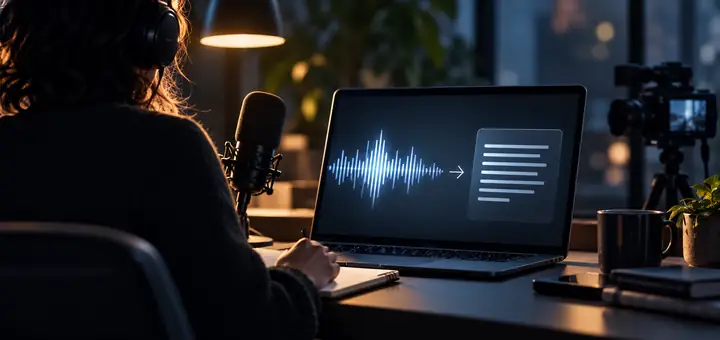
The important parts stay close at hand, so you can spend less time cleaning up recordings and more time using what was said.
Move from spoken content to an editable transcript that is easier to scan, quote, and reuse.
Start with the source you already have, whether it is a saved recording, a video file, or a shared link.
Make conversations easier to follow with a transcript structure that separates who said what.
Use a full transcript, a concise summary, or a focused set of notes depending on the moment.
Keep multilingual recordings moving through the same familiar transcription workflow.
A straightforward workspace helps you move from source material to notes without unnecessary clutter.
A simple three-part flow keeps the work understandable from the first upload to the final copy.

Choose a recording from your computer, paste a source link, or describe the material you want to work with in the focused input panel.

The workspace turns the spoken content into a readable draft, with options that help you keep language and speakers easy to follow.

Once the transcript is ready, pull out the parts you need for notes, research, meetings, captions, or your next draft.
Bring one video, audio file, or idea to the workspace and see how much easier the next step feels when the words are searchable.
Get started with a transcriptAnyone who needs to find, understand, or reuse the words inside a video can begin here.
Turn lectures, lessons, and online courses into study notes that are easier to review before the next class.
Shape recorded explanations into handouts, lesson references, or captions that make learning materials more accessible.
Keep meetings, workshops, webinars, and interviews available as text when the details need a second look.
Reuse recordings as scripts, captions, article outlines, and short-form ideas without starting from a blank page.
Make interviews and recorded conversations easier to search, compare, annotate, and return to while writing.
Move quickly from a press conference or interview to a working transcript that supports accurate reporting.
Different projects, same need: make the important words easier to find and use.

“I can turn a long lecture into notes I can actually revisit. It gives me a much better starting point than a blank document.”

“The transcript gives me a reliable place to start after a client call, especially when I need to pull out decisions and follow-ups.”

“It helps me reuse one recording in more than one format. I can find the useful lines before I begin writing.”

“Interview material is much easier to compare when the conversation is available in text instead of only inside an MP4.”

“I can give students a written reference after a recorded lesson, which makes it easier for them to catch up and review.”

“When an interview moves quickly, having the conversation written down gives me more confidence while shaping the story.”
A few straightforward answers about bringing recordings into the workspace.